10/10/2024
Here, I’ll walk through my experience with the Replit 100 days of code learning journey. I will only do the tutorials until I learn how to properly implement all of these assessed skills:

So far, I really enjoy Replit’s strong UI and UX, which really makes beginners feel confident and immersed into the experience. With the video tutorials , and an AI code helper and explainer, I believe that this task will be quite easy.

Most of the basic coding skills were easy to learn, but I just need to get a better understanding of one criteria:
Flowcharting – there are standard practices of documenting the flow of your code. We are less concerned here with proper adherence to conventions than we are that you are building the practice of writing out your plan before you start coding.
The tutorials were easier than I thought and I remembered knowledge from previous years. So with the help of some more advanced competitive programmers that could explain the more complicated functions to me, I can simply just hard-code anything that isn’t too advanced.
I decided to code a morse code translator – for input and decryption.
For the flowchart, I was having some difficulty figuring out how to actually design it, but with the help of some AI that gave me basic ideas and an outline of what I should create, I went ahead to creately to design a flowchart. It is also worth noting that AI is a great tool for outlining and coming up with ideas, but not using it for the entire project as the AI will never understand my thought process.
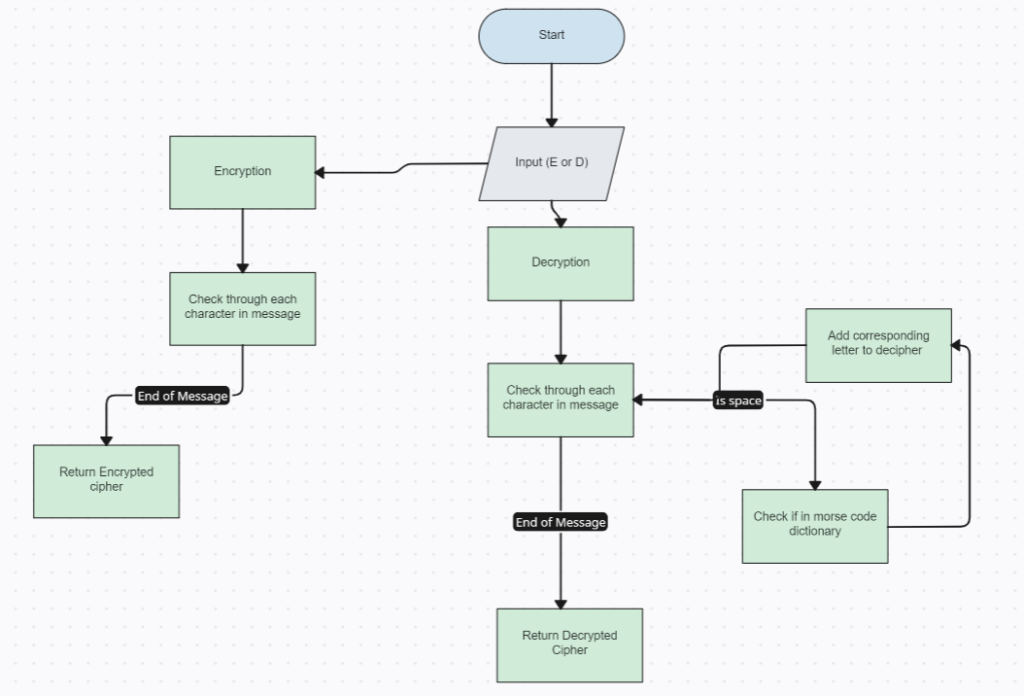
Creately is a terrible app that should never be used – I literally spent an hour trying to format the flowchart correctly and it crashed twice and you cant properly screenshot with a good quality photo
This is after guidance from a competitive programmer
RAW CODE FROM PASTEBIN
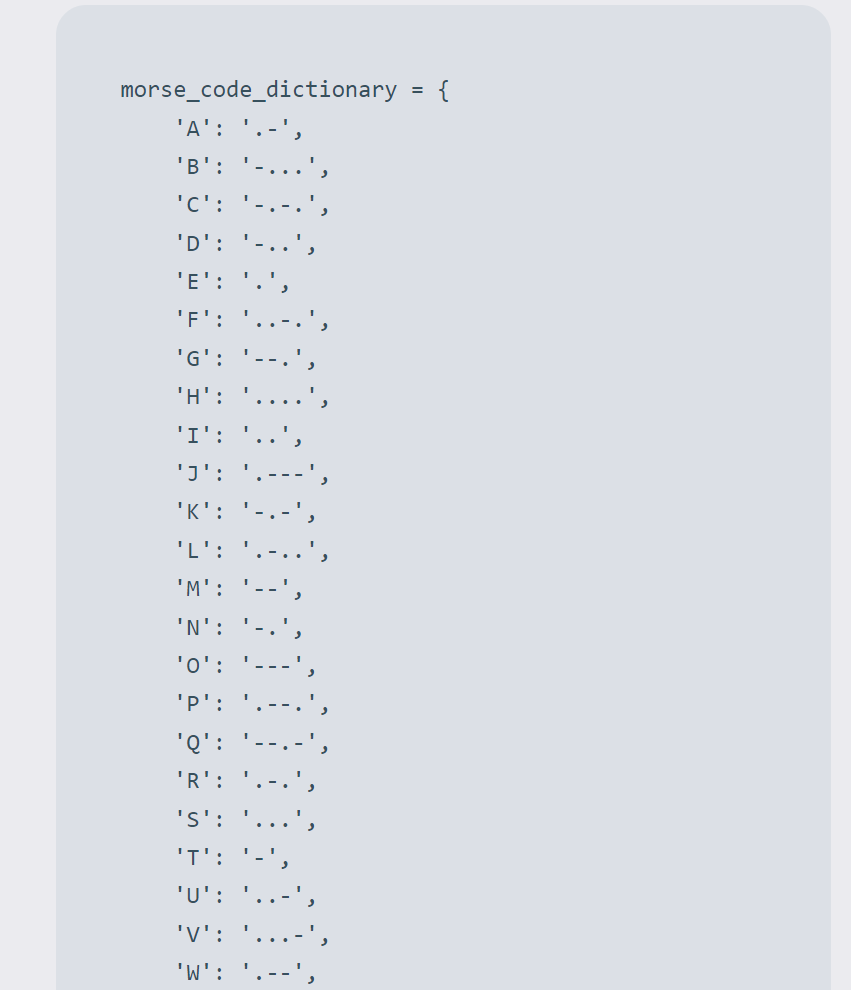
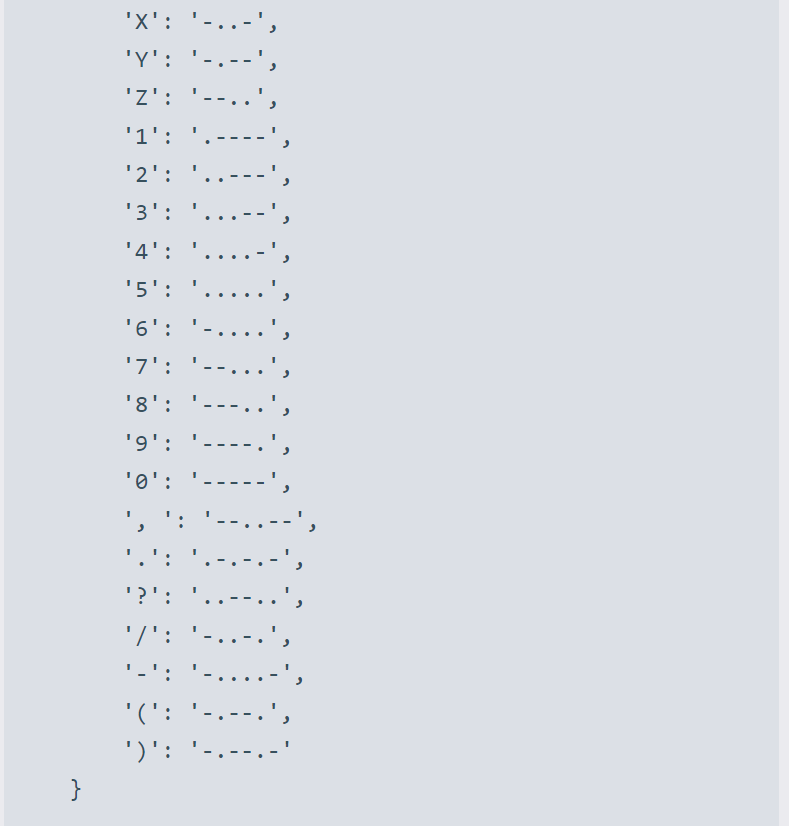
I had to search online and input each value into the dictionary – originally, the code wasn’t formatted like this, but I just clicked on the format button and let Replit AI sort it out for me. It was a really helpful tool that I only learnt about after clicking on random buttons
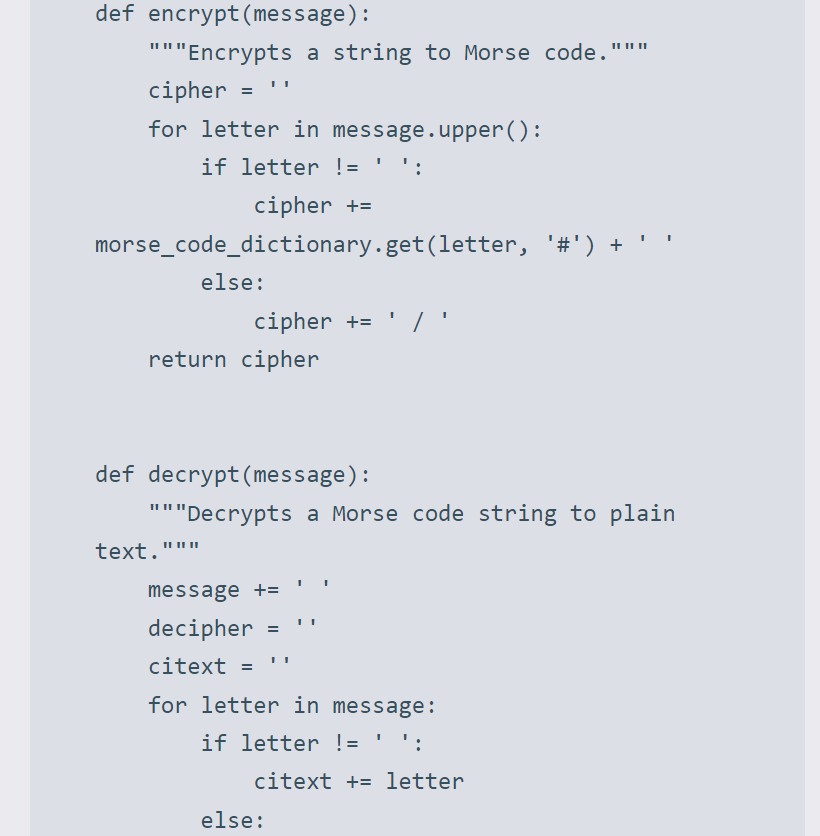
This part accesses the “morse_code_dictionary” using the current letter as a key. If the letter is found in the dictionary, it retrieves the corresponding Morse code value.
I had some help from my friend with the more advanced functions and how to properly use them, including some functions that are shorter and more efficient to use.
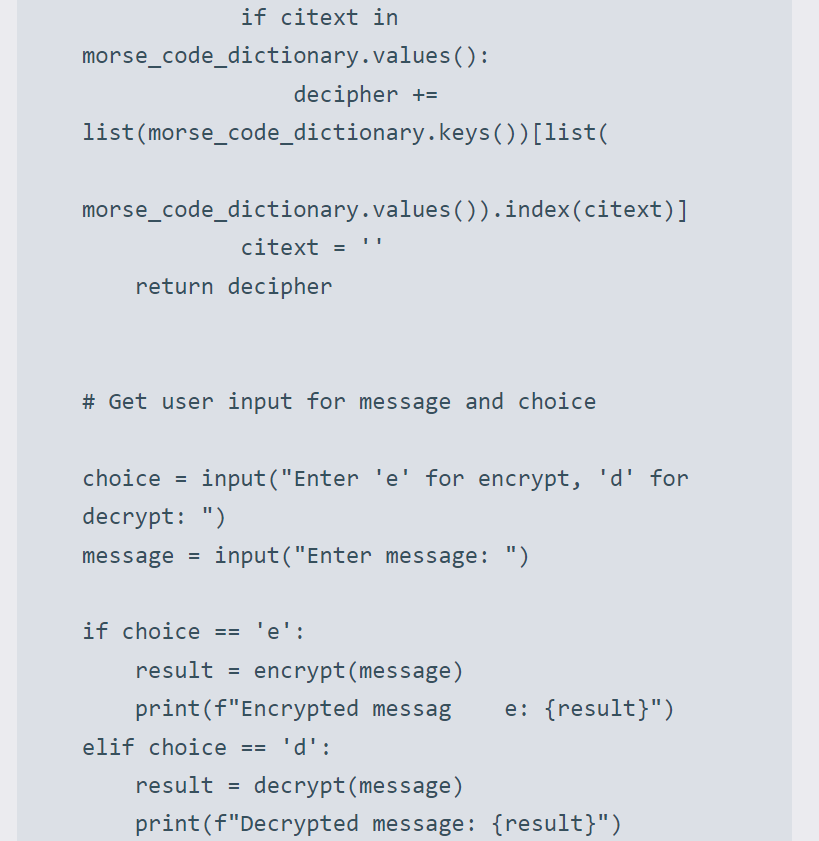
A space is appended to the end of the input message to ensure that the last Morse code character is processed correctly.
list(morse_code_dictionary.keys()): It converts the dictionary keys into a list.
Finally, it uses the index to retrieve the corresponding key from the list of keys to map the morse code character to the plain text character.
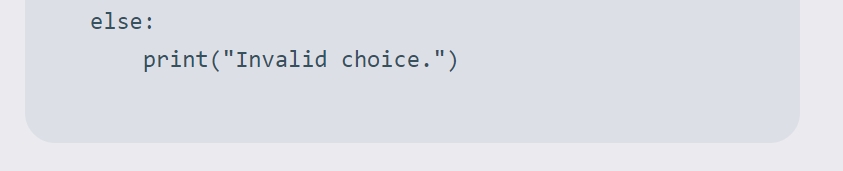
At the end, there’s user input gathered to choose between e and d
Sample output for Encryption and decryption
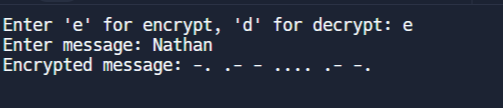

As you can see, it works both ways.

Leave a Reply