Back in my first update, I talked about the problem I’m solving: athletes don’t have an accessible, data-driven way to analyze their technique. You either hire an expensive biomechanics lab, or you film yourself and guess. I’m building Motion X to fix that. It is an AI-powered biomechanics platform that gives you the kind of precise, frame-by-frame feedback that used to require a sports science degree.
Since the last post, Motion X went from an idea with some early research to a functional web application. In this blog post, I will walk you through what it can do now in general.
The Core: Video Analysis
The flagship feature of MOTION X is dual video comparison. The user can upload two videos, a reference (maybe your coach, a pro athlete, or now you can even select and import directly from a youtube video) and your current attempt. The system then breaks down exactly where your form differs, joint by joint, frame by frame.
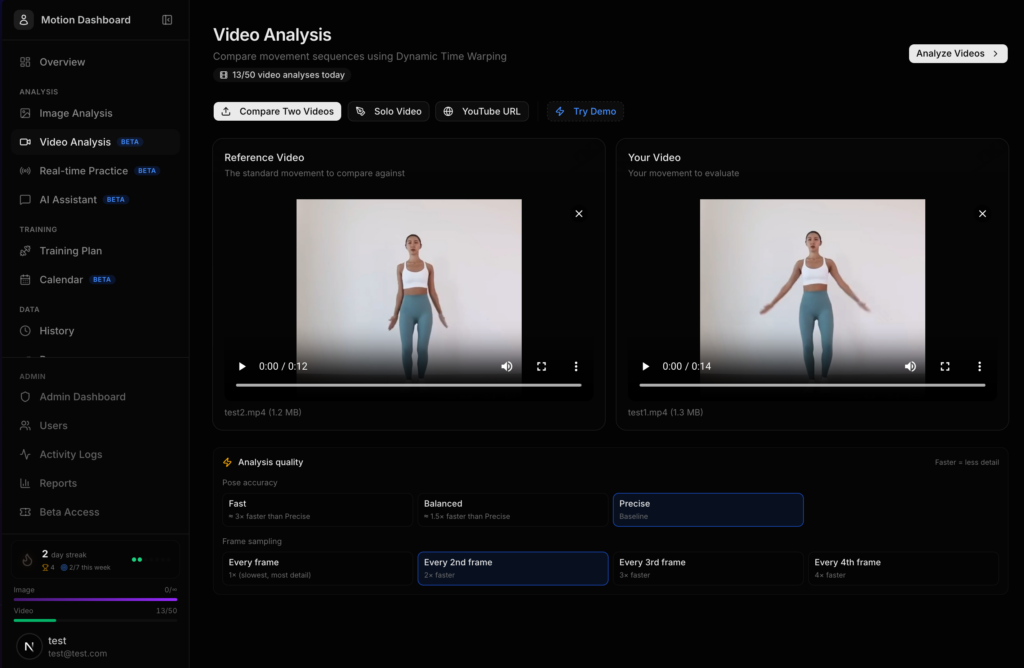
Video Analysis Page
Here’s what happens when you hit “Analyze”:
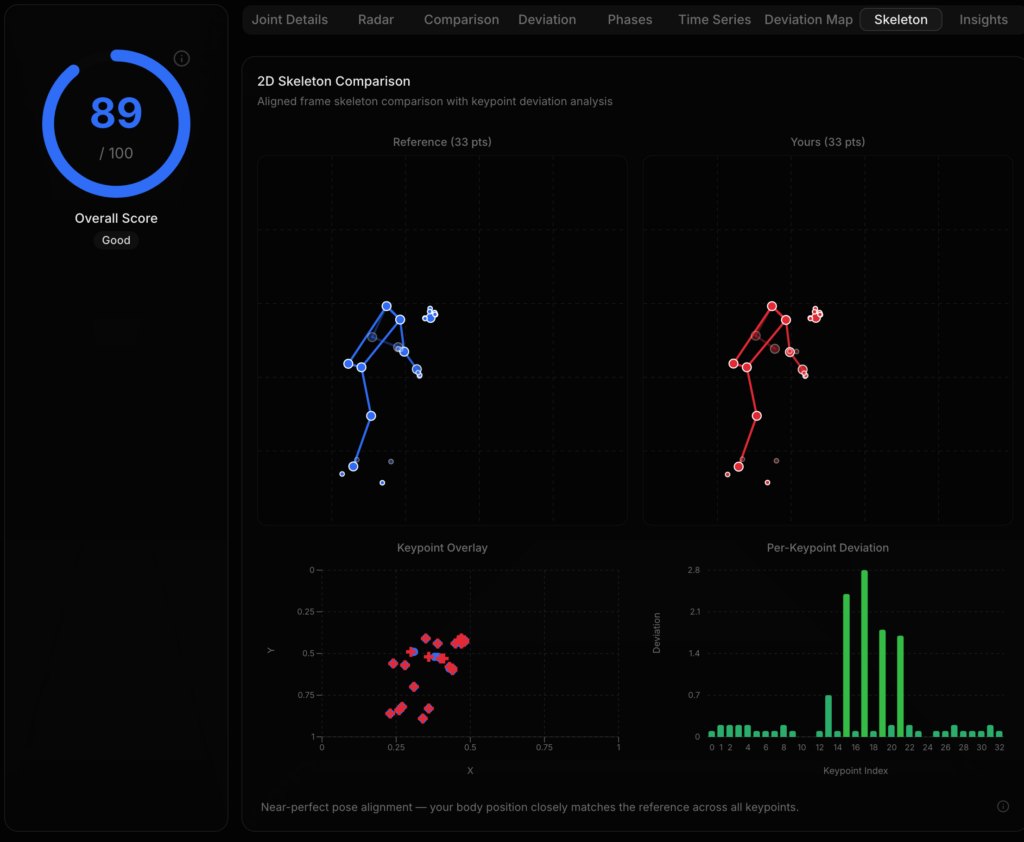
- Pose Detection — Every frame of both videos gets processed through joint identification, which detects 33 anatomical landmarks on the body. This includes shoulders, elbows, wrists, hips, knees, ankles, the full skeleton. The system tracks all 33 points but focuses scoring on 8 key joint angles: both elbows, both shoulders, both hips, and both knees. These are the joints that matter most for athletic form across almost every sport.
- Angle Calculation — For each of those 8 joints, the system calculates the precise angle using vector math (specifically
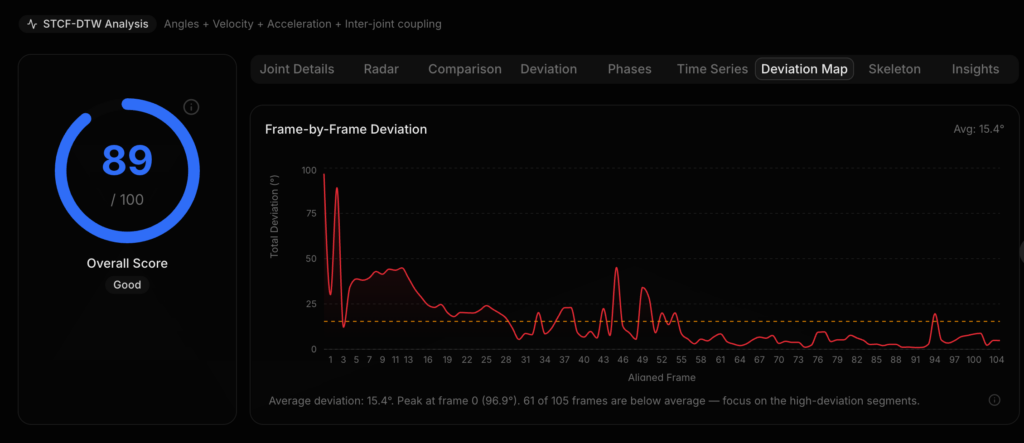
atan2-based angle computation between three connected landmarks). So instead of “your arm looks a bit off,” you get “your right elbow is at 142° when the reference is at 158° — that’s a 16° deviation.” - Temporal Alignment (STCF-DTW) — This is where it gets interesting. Two people never perform a movement at exactly the same speed. A squat might take you 3 seconds but the reference only 2. Naive frame-to-frame comparison would be completely wrong. So I implemented Spatiotemporal Coupling Feature Dynamic Time Warping. This is a modified DTW algorithm that uses a 32-dimensional feature vector per frame (8 angles + 8 angular velocities + 8 accelerations + 8 coupling ratios between adjacent joints) to intelligently align both videos by movement phase, not by time. This means the system knows that your frame 47 corresponds to the reference’s frame 32 because you’re both at the bottom of the squat, even if you got there at different speeds.
- Scoring — Each joint gets a score from 0–100 based on angle deviation from the reference. Under 5° difference gives a perfect score of a hundred. Under 10° gives a score ranging from 80-90. The further off you are, the lower the score. You get per-joint scores, per-frame scores, and an overall score for the entire movement.
Interactive Joint Inspector
On top of the video, you can toggle the Joint Inspector. This allows the user to click on any joint in the skeleton overlay, and a popup would appear showing the exact angle, the reference angle, the difference, and a score.
(The two videos in this demo shows the same person but with slight movement deviations. In a real scenario, however, it will be two different people doing the same movement.)
This video is a demo of the video analysis feature. The user is able turn on the skeletal overlay that supports hovering. At the start, the to videos are not synced properly in terms of movements. By clicking the “sync” button, it automatically aligns the two videos in terms of body movement using the STCF-DTW algorithm.
Solo Video Analysis
Considering that users might not always have a reference video, and sometimes just want to analyze form on its own. The system supports single video analysis. Allowing the user to upload a single video and get full skeleton tracking, joint angles over time, and AI feedback just without a comparison baseline.
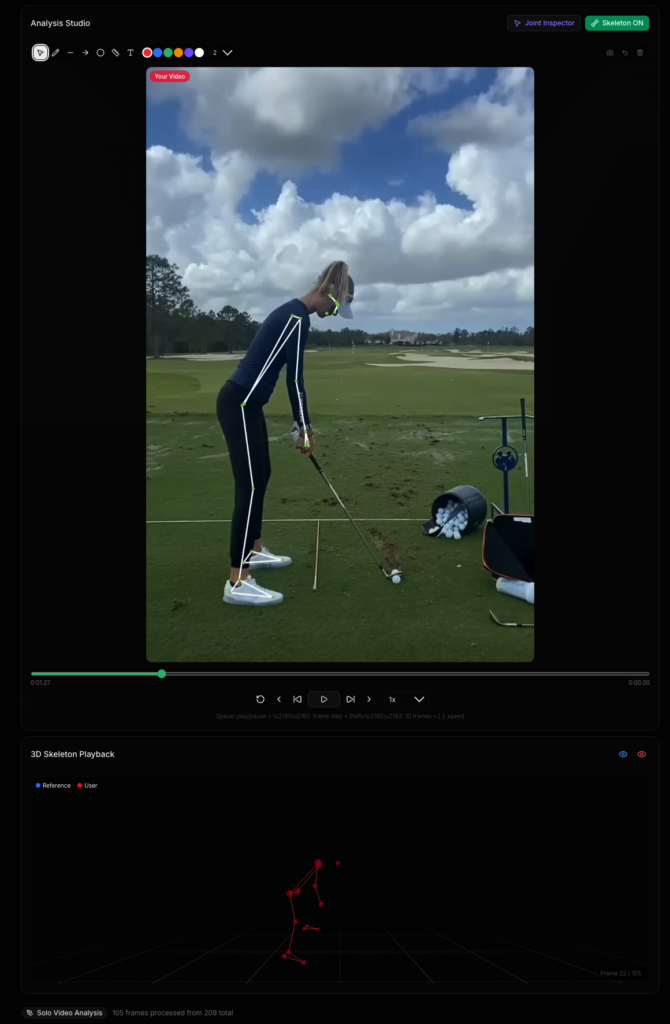
Image Analysis
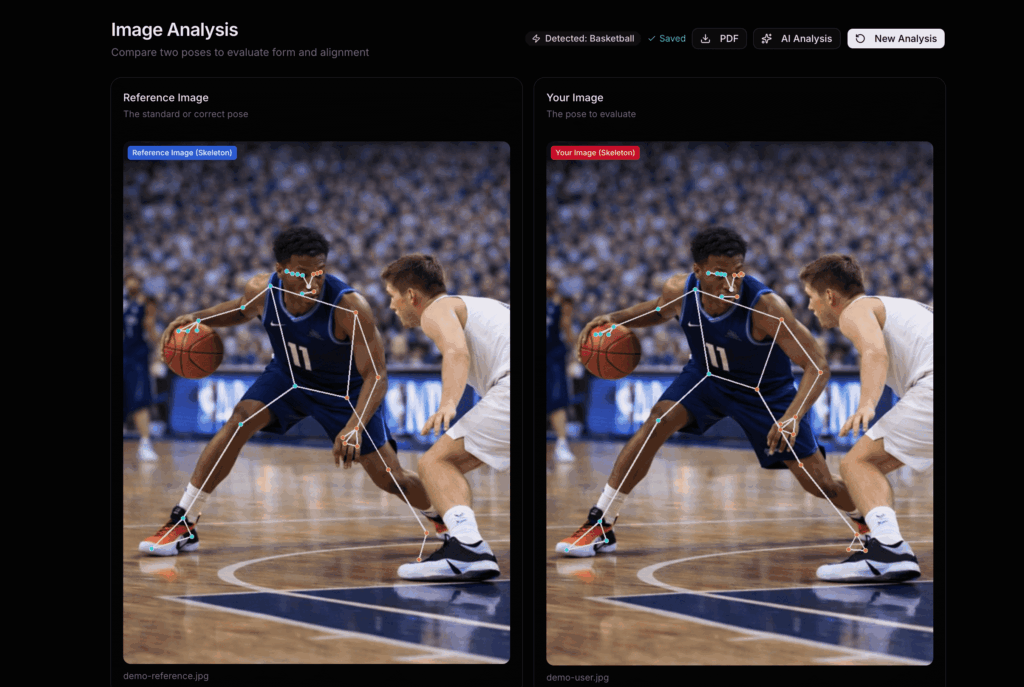
Not everything needs to be a video. For quick form checks, a single picture of your deadlift setup, your rowing catch position, your squat depth. Image Analysis allows you upload two images side-by-side and instantly compare joint angles.
The foundation is essentially the same. Same level of pose detection, same 8-joint angle model, and the same scoring system. You get a radar chart showing all 8 joints at once, a bar chart comparing your angles to the reference, and a detailed breakdown table. It takes about 2 seconds and gives you a full biomechanical comparison from a single photo.
Real-Time Analysis
This is a feature that’s currently still in development. But I’m sure this will turn out to be a great feature. It enables Real-Time Practice, where the user can turn on your their camera, and get live skeleton tracking with instant feedback as they move.
The camera frames stream to the server via WebSocket, get processed through backend server, and the results come back with your joint angles and scores, the goal is for all this to happen under 100ms. You see your skeleton overlaid on the video feed in real time, with joints lighting up in real time as you move. Load a reference video alongside it, and you can practice matching the form live.
It’s like having a coach watching you in real time, except this coach can see every angle to the degree.
AI — The Brain Behind the Data
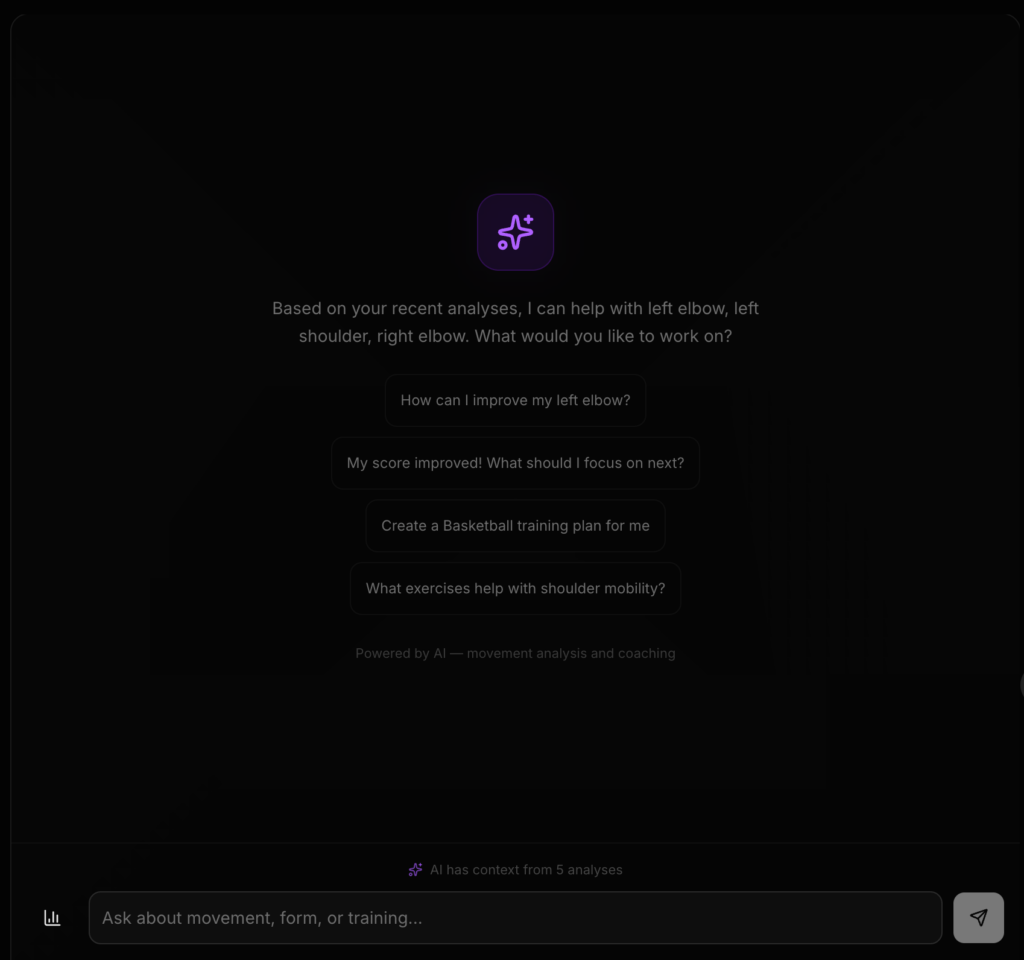
Numbers and charts are great, but most athletes don’t want to interpret a radar chart. They want someone to tell them: “Your right knee is a bit off in at the bottom of the squat — focus on pushing your knees out over your toes.” That’s what the AI layer does.
I have also had a discussion with Mr. Crompton, and this is a feature that we both think would greatly improve the user experience.
Contextual Analysis
After any analysis (video, image, or real-time), you can request an AI Professional Analysis. This isn’t normal ChatGPT-style advice. The AI receives:
- Your full motion data with every joint angle, every frame
- A structured “motion brief” highlighting your worst frames, biggest deviations, and phase-by-phase breakdown
- Your sport (auto-detected from the video)
- Your complete session history, including what you’ve worked on before, what cues you were given, whether you improved or not
The result is a detailed, professional coaching analysis that references specific moments in your video. It’ll say things like “at frame 47, your elbow drops below parallel during the recovery phase”, which is a real frame you can jump to and verify. No hallucinated advice.
Session Memory — “Am I Getting Better?”
This is the feature that really sets Motion X apart from every other AI fitness tool I’ve seen. Most AI coaching apps are stateless, where they analyze your movements in isolation and forget you exist. Motion X remembers.
Every session’s key metrics get saved to your profile. The next time you come back, the AI checks: did you follow the cues from last time? Did your angles actually improve? It tells you right on the dashboard and it gives you the next cue to focus on.
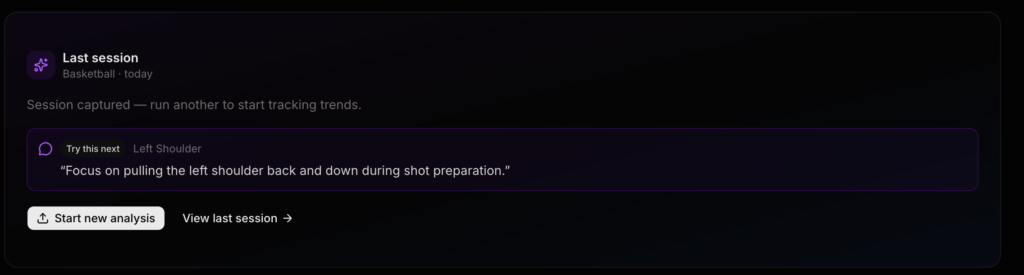
AI Chat
Beyond one-off analysis, there’s a full AI Assistant chat. You can ask follow-up questions about your technique, get explanations of biomechanical concepts, or dive deeper into specific joints. The conversation maintains context, so you can have a back-and-forth like you would with a real coach.
Challenges
Building the Algorithm
The STCF-DTW alignment system was by far the hardest technical challenge. Standard Dynamic Time Warping gets you 80% of the way there, but it doesn’t understand that a squat and a deadlift have fundamentally different phase structures. The spatiotemporal coupling features (velocity, acceleration, and joint coupling ratios) were my innovation to make the alignment phase-aware. Getting the 32-dimensional feature vector right, too few dimensions and the alignment is sloppy, too many and it overfits to noise.
Making AI Feedback Actually Useful
One of my main focus was the user experience. And the first version of the AI feedback was not that great. It would say things like “your form could be improved”. Thanks, very helpfull. The breakthrough was the motion brief: a structured JSON document that gives the AI model precise, frame-level data instead of vague summaries. Once the AI could see that your right elbow was at 142° at frame 47 while the reference was at 158°, the feedback became specific and actionable. Grounding the AI in real data was the difference between a gimmick and a genuinely useful tool.
Surprises
Auto-detecting the sport changes the experience completely. When the AI knows you’re doing a squat vs. a rowing stroke, the feedback is dramatically more relevant. I added computer vision-based sport detection (upload a video and it figures out what you’re doing). This shows that context is very important.
Am I Going to Make the Deadline?
I believe that this is an achievable goal. And it really depends on what I define as a final product. Personally, I really want to push this to production grade, and to start beta testing with real users. Though before that, there are still a lot of stuff to do, such as fixing bugs and improving details.
It is worth point out that right now the core product works. Including getting frame-by-frame analysis with scores, receiving AI coaching that references your specific movements, tracking your progress over time, and exporting professional PDF reports. That’s a functional product of some sort.
One of the main features still waiting to be added is mobile experience. I want to optimize the touch interactions for phone users and run testing with real users. There’s also production infrastructure work: rate limiting, error tracking, and background processing for longer videos.
My strategy is to stay on track, working on the core flow and make sure it’s bulletproof, then polish the other details. The foundation is solid, the architecture is clean, and the hardest algorithmic work is done. I’m feeling pretty good about it.
Current Stage: Closed Beta
Next Stage: Beta User Testing (Target Data: Apr 23)
Leave a Reply