Introduction
For this project, through some failed attempts, I gained a lot of experience with dealing with coding and wiring problems. What I did is a temperature controlled fan circuit, this means that whether the fan operates or not depends on the temperature shown on the temperature sensor
This project simulates a scenario when we when we need an automatic temperature control of a living room. This system will be helping a lot by adjusting the temperature by opening the fan automatically
Code
Explanation

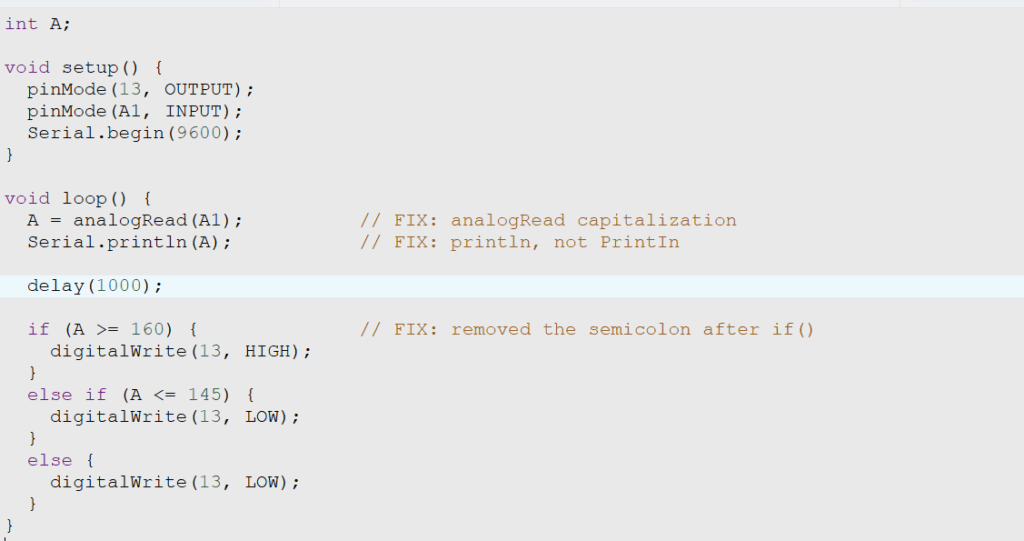
This is a very cool thing that I discovered through this topic is to set a variable A and add int to say the stored integers
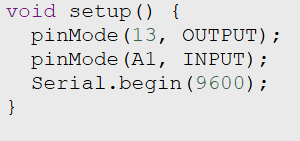
These codes means that the whole thing will be running once when the Arduino starts. Moreover, I setted 13 as the output point and A1 as the input point and we ensured that the Arduino would be able to send data to my computer with adding Serial.begin

These codes basically means that I want it to read the code from A1 fwhich is the temperature sensor data and stores it in variable A. Then, the Arduino will be sending data to my computer stored in A and pause 1 second
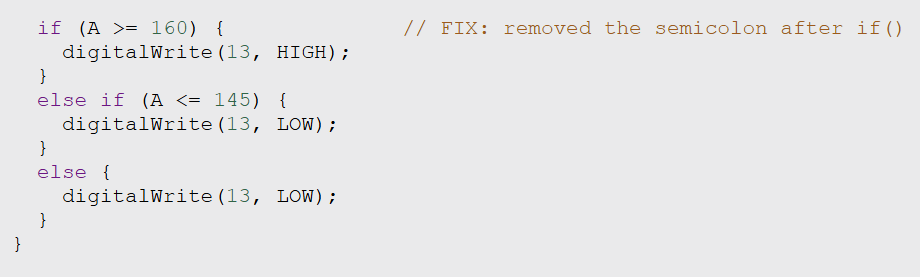
This is the most essential part of the code, when the data stored in A showed that it is greater than 160( it is written as this due to the conversion) than it will set pin 13 to high which means opening the fan. However, if it is lower than 145 it will close the fan.
Bill Of Materials
Prototype
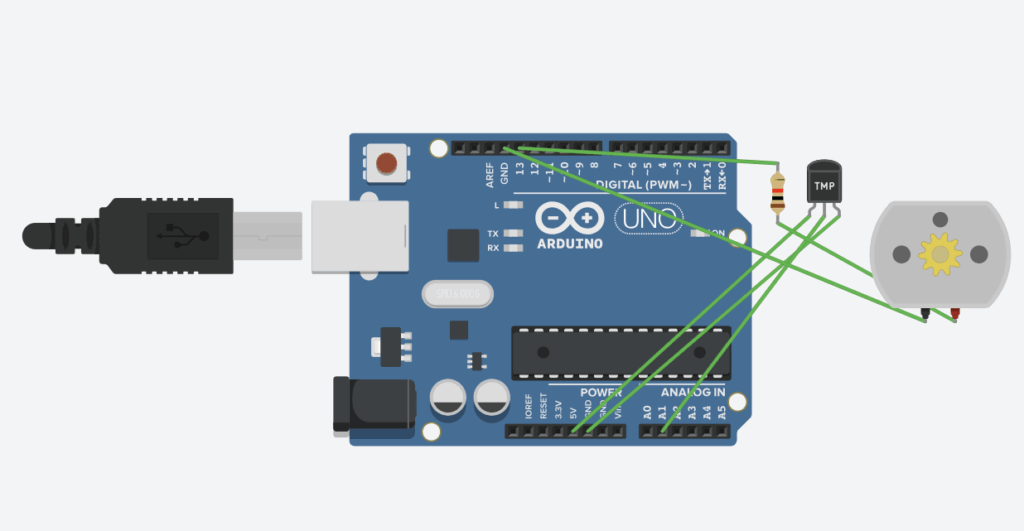
How this works
First of all, the temperature sensor will send data to the Variable stored and it will send it to the computer. After that, the data will be analyzed, and control the fan accordingly.
Demonstration
Summary
This is one of the project that I really struggle with, however, with the help of Mr. Crompton I actually did it and challenged myself. All the wiring and coding are pretty complicated for me but I am glad that the final project turns out pretty well

Leave a Reply to mcrompton Cancel reply